Phase 01
( Stage 01 )
Your plans
- Upload your plans
- Establish the scope
 Plan Reveal
Know what’s behind the number.
For homeowners and prospective builders planning luxury homes or high-end renovations: a one-page cost breakdown from your plans, with allowances flagged.
Your plans show the design. What explains the cost?

One bid says $400K. Another says $900K. For a homeowner, the total alone does little to explain the difference.
Plan Reveal turns your building plans into a clear, one-page cost breakdown, with allowances flagged rather than hidden in the total.
Why does the same project carry such different numbers?
A headline price does not tell you which parts of your plans drive the cost.
Without clear flags, it is hard to distinguish supported quantities from allowances.
When unknowns are not made explicit, the number can look more settled than the plans support.
A clearer view
Understand the cost drivers in your plans, with allowances made explicit. Bring clearer questions to the conversation about your build.
Trace the cost back to the drawings.

Plan Reveal is run by Ryan. The work starts with your uploaded plans and follows a traceable plan-to-price workflow.
Line items distinguish supported quantities, allowances and unknowns. The result is a one-page cost breakdown with allowances flagged.

A concise breakdown from your uploaded plans makes the costs behind the total easier to understand.
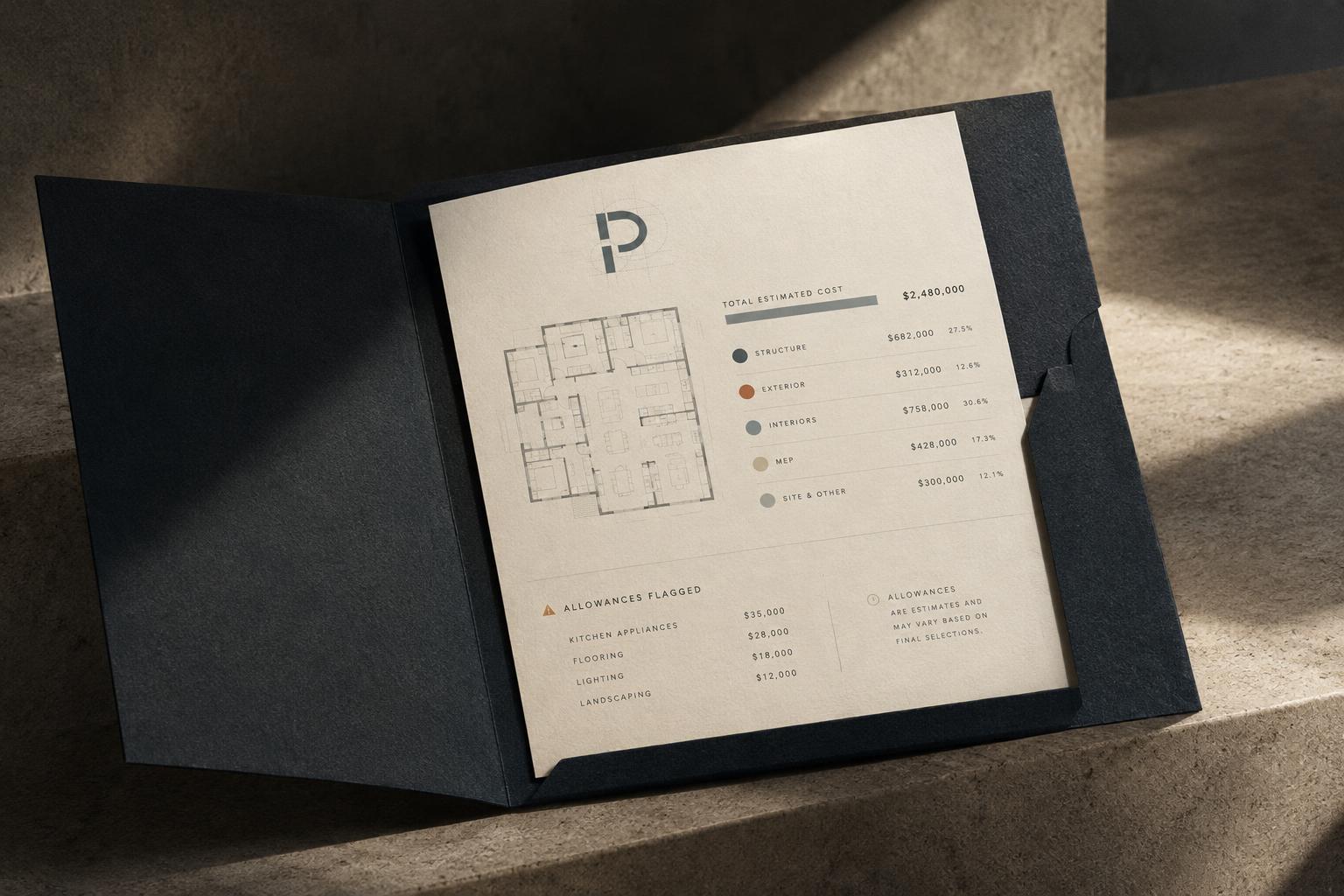
Allowances are flagged within the report so they remain visible alongside the cost breakdown.

The breakdown connects the drawings to the number, distinguishing supported quantities, allowances and unknowns.
Begin with your plans, not a guess.
You will need building plans for the cost breakdown.
Share your contact details and a description of the job through the quote form.
Your plans provide the basis for the report.
The plan-to-price workflow separates supported quantities, allowances and unknowns.
Receive a one-page cost breakdown with allowances flagged.
Homeowners and prospective builders in the luxury and high-end renovation market who want to understand what drives the cost of their plans.
A one-page cost breakdown of your uploaded plans, with allowances flagged.
Yes. The report is built from uploaded plans, rather than a description of an idea alone.
No. Allowances are flagged, and the workflow distinguishes them from supported quantities and unknowns.